Shopify Conversion Rate Optimization The Ultimate Guide
Shopify conversion rate optimisation isn’t some dark art. It’s simply the process of methodically improving your online store to increase the percentage of visitors who buy something.
It involves getting inside your customers’ heads, analysing their behaviour, finding the spots where they get stuck or frustrated, and then making smart changes—from small design tweaks to a complete checkout overhaul—to make buying from you easier and more appealing. The goal is simple: turn more of your existing traffic into paying customers.
Establishing Your Shopify Conversion Baseline
Before you can start improving anything, you have to know where you stand. Guesswork is the enemy of effective CRO; data is your only reliable friend. Building a clear, honest, and data-backed baseline isn’t just a preliminary step—it’s the foundation for your entire optimisation strategy. Without it, you’re just flying blind, unable to measure if your hard work is actually making a difference.
Your first move should be to get all your data talking to each other. While Shopify Analytics gives you a decent overview, pairing it with Google Analytics 4 (GA4) provides a much richer, more granular picture of user behaviour. This dual-platform approach lets you cross-reference everything, ensuring accuracy and uncovering insights that one tool alone would almost certainly miss. For a full breakdown of strategies, our guide on Shopify Conversion Rate Optimization is a great place to start.
What Is a Good Conversion Rate?
It’s the million-dollar question: “What’s a good conversion rate?” Honestly, the answer is… it depends. While global benchmarks are interesting, a “good” rate is hyper-specific to your niche, price point, and who you’re selling to. A UK-based fashion brand will have a completely different performance standard than a high-end electronics store.
To set goals that actually make sense, you need to look at industry-specific data. It’s a useful exercise to see how your store stacks up against others in your sector.
Here’s a look at some UK Shopify benchmarks to give you some context.
| Industry Sector | Average Conversion Rate |
|---|---|
| Fashion & Apparel | 1.8% |
| Health & Beauty | 2.9% |
| Home & Garden | 1.6% |
| Food & Drink | 2.5% |
| Electronics | 1.2% |
These numbers help frame your performance, but remember they are just averages. Your own historical data is the most important benchmark you have.
In the UK, Shopify has a massive 20% market share among e-commerce platforms, so there’s a huge amount of data out there. While a broad survey pegs the average Shopify conversion rate at 1.4%, the top-performing UK stores consistently hit 3.2% or higher, putting them in the top 20% globally. Reaching an impressive 4.7% lands a store in the elite top 10%.
This tells you one thing very clearly: aiming for “average” is aiming too low. The real opportunity is in understanding what the top performers are doing and setting your sights on joining them.
Finding Your True Performance Level
With your analytics connected, it’s time to establish your baseline conversion rate over a meaningful period. I always recommend looking at the last 90 days—it’s long enough to smooth out any weird spikes from sales or holidays.
But don’t just stop at the overall store conversion rate. That number hides the real story. You need to dig deeper.
- Conversion Rate by Traffic Source: Are visitors from organic search converting better than your social media ads? This tells you where your best customers are coming from.
- Conversion Rate by Device: How does mobile stack up against desktop? A big gap here is a massive red flag, usually pointing to a clunky mobile experience.
- Add to Cart Rate: What percentage of people actually add a product to their cart? If this is low, your product pages or pricing might be the problem.
- Checkout Abandonment Rate: How many people start checking out but never finish? This is one of the most critical friction points to fix.
By segmenting your conversion data, you move from a vague, store-wide number to a precise map of strengths and weaknesses. This detailed analysis reveals exactly where you should focus your optimisation efforts for the greatest impact.
Once you have this detailed baseline, you can set realistic, incremental goals. Forget about trying to double your conversion rate overnight. Instead, focus on improving one metric at a time. Maybe you aim to increase your mobile conversion rate by 10% next quarter. This targeted approach is far more effective and sustainable.
To learn more about this process, you can explore our guide on how to analyse Shopify data to boost ecommerce growth. Getting this data-driven foundation right is the first real step in any successful CRO journey.
Finding and Fixing Hidden Conversion Killers
Right, you’ve got your baseline sorted. Now the real detective work begins.
Your store’s analytics are packed with clues explaining why people leave without buying. The goal isn’t just spotting problems, but getting to the why behind the numbers. It’s about finding those subtle friction points that are silently killing your sales.
Think of your customer journey like a relay race. Each stage—from homepage to product page, to the cart, and through checkout—is a crucial handoff. A dropped baton at any point means a lost sale. To get Shopify CRO right, you need to become an expert at spotting where those drops happen.
Uncovering Friction with Behavioural Analytics
The numbers from Shopify Analytics or GA4 tell you what is happening—for example, a 50% drop-off on product pages. But the real gold is in the qualitative data that tells you why. This is where behavioural analytics tools are indispensable; they’re your window into the actual user experience.
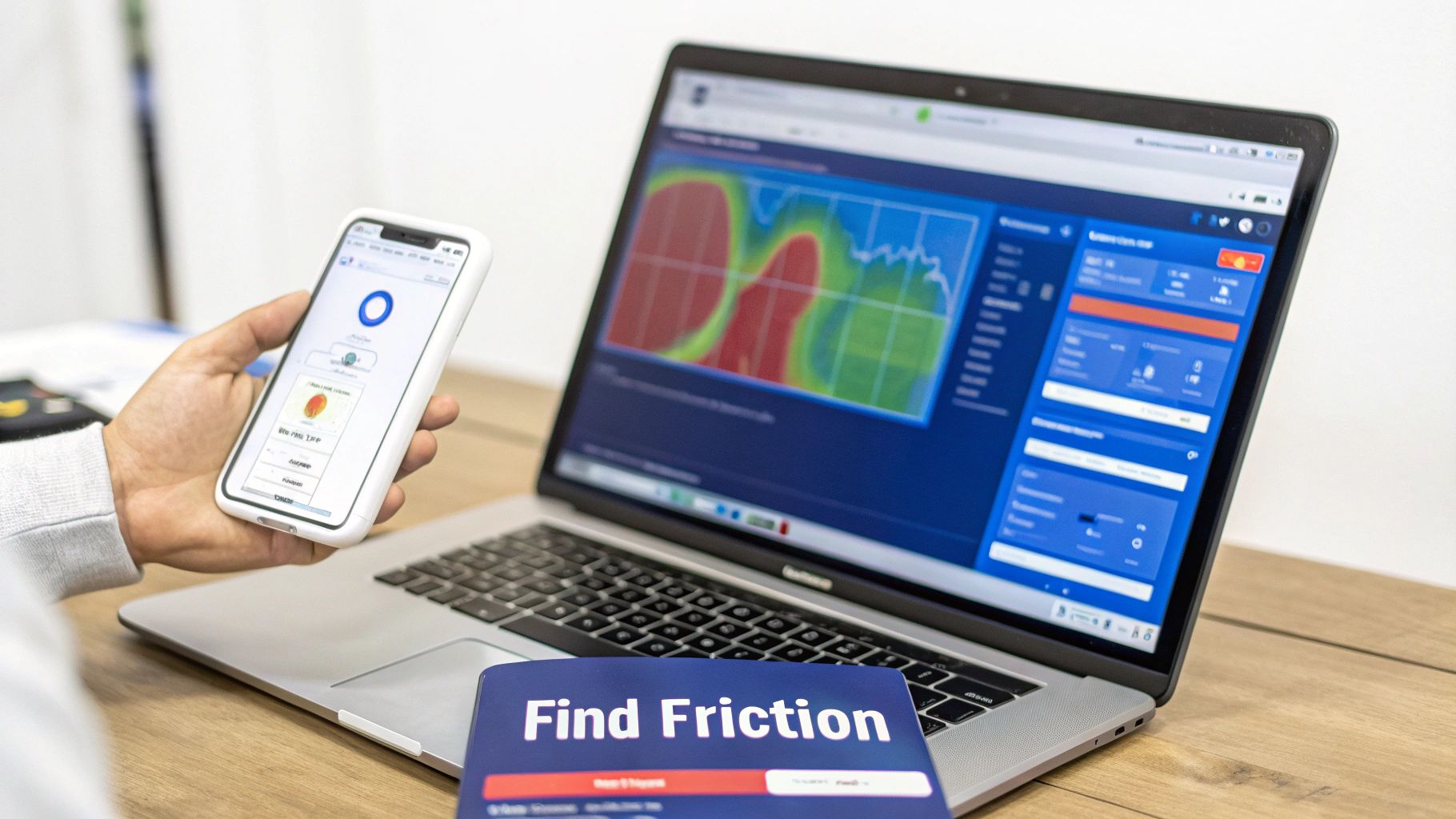
Tools like Hotjar or Microsoft Clarity are brilliant for this diagnostic phase. They offer two features you absolutely need:
- Heatmaps: These are visual overlays showing exactly where users click, move their mouse, and how far they scroll. Are they trying to click on something that isn’t a link? Are they completely missing your main call-to-action? You’ll see it instantly.
- Session Recordings: Watching anonymised recordings of real user sessions is like looking over their shoulder. You can witness their confusion firsthand as they wrestle with a clunky navigation menu or rage-click a broken button.
These tools bridge the gap between abstract numbers and human behaviour. A high bounce rate is just a statistic; watching five users in a row fail to find the size chart is a clear, actionable problem you can fix immediately.
Prioritising Your Hit List
Once you start digging, you’ll probably uncover a dozen potential issues. The trick is to avoid getting bogged down and, instead, create a prioritised hit list. You need to focus on the friction points with the biggest potential impact on your revenue.
Ask yourself these questions to sort out your priorities:
- Where’s the biggest drop-off happening? If 70% of users who add to cart never even start the checkout, that’s a much bigger fire to put out than a minor typo on your ‘About Us’ page.
- How many users are affected? A bug hitting every mobile user is a higher priority than one impacting a tiny segment on an old browser.
- How hard is the fix? Sometimes, a simple copy change or tweaking a theme setting can deliver a big win with minimal effort. Tackle these “quick wins” first to build momentum.
One of the most stubborn conversion killers for Shopify stores is the abandoned cart. Understanding the most effective strategies to reduce cart abandonment is absolutely crucial. Surprise shipping costs discovered at the last minute are a classic culprit.
The UK Mobile Challenge
For UK-based Shopify merchants, the data points to a very specific area of concern. Industry benchmarks show massive differences between categories: general apparel might convert at 2%, while luxury handbags lag at a tiny 0.3%. Knowing these nuances is vital.
But the most glaring friction point is almost always the mobile experience.
While UK mobile e-commerce conversion rates average a respectable 2.89%, cart abandonment on mobile devices soars to an eye-watering 85.65%, compared to 73.76% on desktop. This huge gap points directly to clunky mobile checkouts, fiddly forms, and payment friction as major conversion blockers. You can find more details in these UK-specific CRO statistics on Shopify.com.
This data isn’t just interesting—it’s a direct instruction. If your UK-based store isn’t obsessively optimised for a seamless, one-click mobile checkout, you are leaving an enormous amount of money on the table.
By systematically identifying these friction points—from confusing navigation witnessed in session recordings to checkout abandonment triggered by unexpected costs—you transform guesswork into a data-driven plan of attack.
Implementing High-Impact Store Optimisations
Okay, you’ve done the hard work of digging through your data and now you have a prioritised list of friction points. It’s time to roll up your sleeves and turn those insights into tangible improvements that actually move the needle on your conversion rate.
The key here isn’t to tear down your whole store and start again. That’s a recipe for chaos. The smart approach is to systematically knock down the highest-impact issues you’ve uncovered one by one. This is about more than just changing a button colour; it’s about fundamentally improving your customer’s journey. We’ll focus on the areas that consistently deliver the biggest wins: product pages that sell, navigation that guides, and a checkout that’s as smooth as silk.
Revitalise Your Product Pages
Your product page is the final sales pitch. It’s where a browser becomes a buyer, so it needs to be compelling, trustworthy, and crystal clear. I see so many stores fall flat here with generic descriptions and mediocre images, which just plants seeds of doubt and kills momentum.
To truly nail Shopify conversion rate optimisation, your product pages must answer every question a customer might have before they even think to ask it.
- Compelling Imagery and Video: Don’t just show the product; showcase it. Get high-resolution photos from every angle, add some in-context lifestyle shots, and include close-ups of key details. A short video of the product in action can be a game-changer, helping customers really visualise it in their own lives.
- Benefit-Driven Descriptions: Stop listing features and start explaining benefits. Instead of “100% organic cotton,” try “Crafted from ultra-soft, breathable organic cotton for all-day comfort.” You’re connecting the dots for the customer, linking your product directly to their needs and wants.
- Powerful Social Proof: Nothing builds trust faster than seeing that other people have bought—and loved—your product. Display star ratings and written reviews prominently. Go a step further and pull in user-generated content (UGC) by showcasing customer photos from Instagram. That real-world validation is often the final nudge a hesitant shopper needs.
Streamline Navigation and Search
If people can’t find what they’re looking for in seconds, they’re gone. A confusing navigation menu or a clunky search function are absolute conversion killers. Your only goal here is to make product discovery completely effortless.
A clean, logical menu is non-negotiable. Use simple, clear category names that your customers would actually search for. If you have a massive catalogue, a well-designed “mega menu” can display subcategories without overwhelming the user.
A classic mistake, especially on mobile, is hiding the search bar behind a tiny magnifying glass icon. Make the search bar prominent and sticky at the top of the page. It encourages use and dramatically cuts down on frustration for shoppers who know exactly what they want.
Think about the hint text, too. Instead of a bland “Search,” try something more inviting like, “What are you looking for?” It’s a tiny tweak that makes the whole experience feel more personal.
Perfect the Checkout Experience
The checkout is the final hurdle, and it’s where an astonishing number of sales are lost. Your primary objective is to eliminate every single point of friction, doubt, or surprise. Scrutinise every field, every step, every click.
By 2024, with over 209,000 Shopify stores in the United Kingdom, the data on what works is clearer than ever. While the average conversion rate hovers around a paltry 1.4%, top-tier UK merchants consistently hit over 3.2%. A huge driver for this is their adoption of accelerated checkouts like Shop Pay. In fact, studies show Shop Pay can produce 50% higher conversions than a standard guest checkout. You can dig into more of these impactful Shopify statistics and trends yourself.
This data gives us a clear directive for optimising the checkout.
Key Checkout Optimisations
- Simplify Your Forms: Only ask for the absolute bare minimum. Every extra field is another reason for someone to abandon their cart. Use address autocomplete to reduce typing and prevent errors.
- Offer Trusted Payment Options: Build instant trust by displaying logos for Visa, Mastercard, and PayPal. But crucially, you must enable accelerated options like Shop Pay, Apple Pay, and Google Pay. These let returning customers check out in seconds, completely bypassing the tedious manual entry of their details.
- Be Transparent with Costs: Unexpected shipping costs are the number one reason for cart abandonment. Show your shipping fees as early as you can—ideally on the product page or in the cart, not as a nasty surprise at the final step. If you offer free shipping over a certain threshold, shout about it across the entire site.
By focusing your first wave of effort on these three core areas—product pages, navigation, and checkout—you’ll be tackling the most common and damaging friction points. Each improvement, backed by the data you’ve gathered, builds a smoother, more trustworthy experience that naturally leads to a higher conversion rate.
Using Personalisation to Drive More Sales
A generic, one-size-fits-all shopping experience is a guaranteed way to leave money on the table. Today’s customers don’t just appreciate a tailored journey; they expect it. By using the customer data you already have, you can move beyond broad-strokes marketing and create a personalised experience that speaks directly to each individual, which is a surefire way to lift your Shopify conversion rate.
This isn’t about getting tangled up in complex algorithms. It starts with smart, practical applications of what you know about your visitors.
Dynamic product recommendations are a powerful place to begin. Instead of showing everyone your bestsellers, you can display products based on what a user is looking at right now. Someone browsing running shoes should see recommendations for performance socks and hydration packs, not winter coats.
That level of relevance makes shoppers feel understood. It transforms your store from a simple catalogue into a helpful personal shopper, fundamentally shifting the customer relationship, building trust, and encouraging them to explore more of what you offer.
Tailoring Offers and Incentives
Strategic offers are a cornerstone of Shopify conversion rate optimisation, but it’s a delicate balance. Slapping constant, store-wide discounts on everything can devalue your brand and train customers to just wait for a sale. The key is to be surgical with your incentives, presenting the right offer to the right person at the perfect moment.
This is where your data becomes your best friend. Instead of blasting everyone with a 10% off coupon, you can create far more nuanced and effective offers:
- Free Shipping Thresholds: This is a classic for a reason. Clearly communicating “You’re only £15 away from free shipping!” is an incredibly powerful motivator for increasing average order value.
- Smart Product Bundles: Group complementary items together at a slight discount. If a customer is buying a coffee machine, offering a bundle with filters and your most popular beans is a natural upsell that feels helpful, not pushy.
- Limited-Time Offers: Create genuine urgency with a special deal that actually expires. This is particularly effective for recovering abandoned carts and nudging hesitant buyers over the finish line.
The most effective offers aren’t just about the price cut; they’re about value and timing. A well-placed bundle or a timely free shipping reminder often outperforms a simple percentage discount because it aligns perfectly with what the customer is trying to do in that moment.
Automating Personalisation with Email Flows
Email remains one of the most potent channels for personalised communication. Automated flows, triggered by specific customer actions, let you deliver hyper-relevant messages at scale without lifting a finger.
For any Shopify store, the abandoned cart email is the most critical flow to get right. A generic “You left something behind” email is better than nothing, but a personalised one is exponentially more powerful.
Imagine an email that doesn’t just show the exact product left in the cart, but also includes customer reviews for that item and suggests a few closely related alternatives. This transforms a simple reminder into a helpful, persuasive piece of marketing that genuinely re-engages the customer’s interest. Beyond abandoned carts, you should have flows for new subscribers, post-purchase follow-ups, and win-back campaigns for lapsed customers.
For Shopify stores using Klaviyo, these automated flows are essential for nurturing customer relationships. For those looking to dive deeper, our guide on how to improve customer retention with Klaviyo and Shopify integrations offers advanced strategies.
Each personalised touchpoint strengthens the customer bond, making them more likely to convert not just once, but repeatedly. By using your data to create these tailored experiences, you turn casual browsers into loyal, high-value customers.
Creating a System for Testing and Measurement
Improving your Shopify conversion rate isn’t about making a few tweaks and hoping for the best. That’s just guesswork. Real growth comes from a disciplined, continuous cycle: form an educated guess, test it in a controlled way, and measure the real-world impact. Without a reliable system for testing, you’re flying blind, unable to tell if a sales lift came from your changes or just random luck.
This is where the principles of experimentation come in. The goal is to move from “I think this will work” to “I know this works because the data proves it.” This disciplined approach ensures every change you make is a step forward, building on proven successes rather than gut feelings. It’s how you turn your Shopify store into a well-oiled conversion machine, one validated improvement at a time.
The Foundation of A/B Testing
At the heart of any solid measurement system is A/B testing, also known as split testing. It’s a beautifully simple concept: you show two different versions of a webpage to two similar groups of visitors at the same time. One group (the control) sees the original page, while the other (the variant) sees your new version.
By comparing how each group behaves, you can determine with statistical confidence whether your change had a positive, negative, or negligible effect. It strips all the guesswork out of the process.
For instance, you could test things like:
- A new product page headline: Does a headline focused on benefits get more “Add to Cart” clicks than one that just lists features?
- A different call-to-action button colour: Does a green “Buy Now” button actually convert better than your original blue one?
- A simplified checkout process: If we remove that one optional field, does it cut down on checkout abandonment?
The rigour of A/B testing is what separates professional Shopify conversion rate optimisation from amateur tinkering. It gives you definitive proof of what really moves the needle.
Running a Meaningful Experiment
A successful test is so much more than just launching two versions of a page. To get results you can trust, you need a clear process, and it all starts with a strong, measurable hypothesis.
A good hypothesis follows a simple structure: “If I make [this specific change], then [this specific outcome] will happen, because [this reason].” For example: “If we add customer reviews directly below the ‘Add to Cart’ button, then the conversion rate will increase, because it will build trust right at the moment of decision.”
Next, you need to define your key performance indicators (KPIs). The main goal is often the overall conversion rate, but it’s a huge mistake to ignore secondary metrics. Keep an eye on things like average order value, add-to-cart rate, or even time on page. These help you understand the full story behind your change.
A change might slightly decrease your conversion rate but significantly increase your average order value, resulting in a net positive for your business. Without tracking multiple KPIs, you could mistakenly label a profitable experiment as a failure.
This process illustrates how customer behaviour can lead to personalised recommendations and, ultimately, a tailored offer.
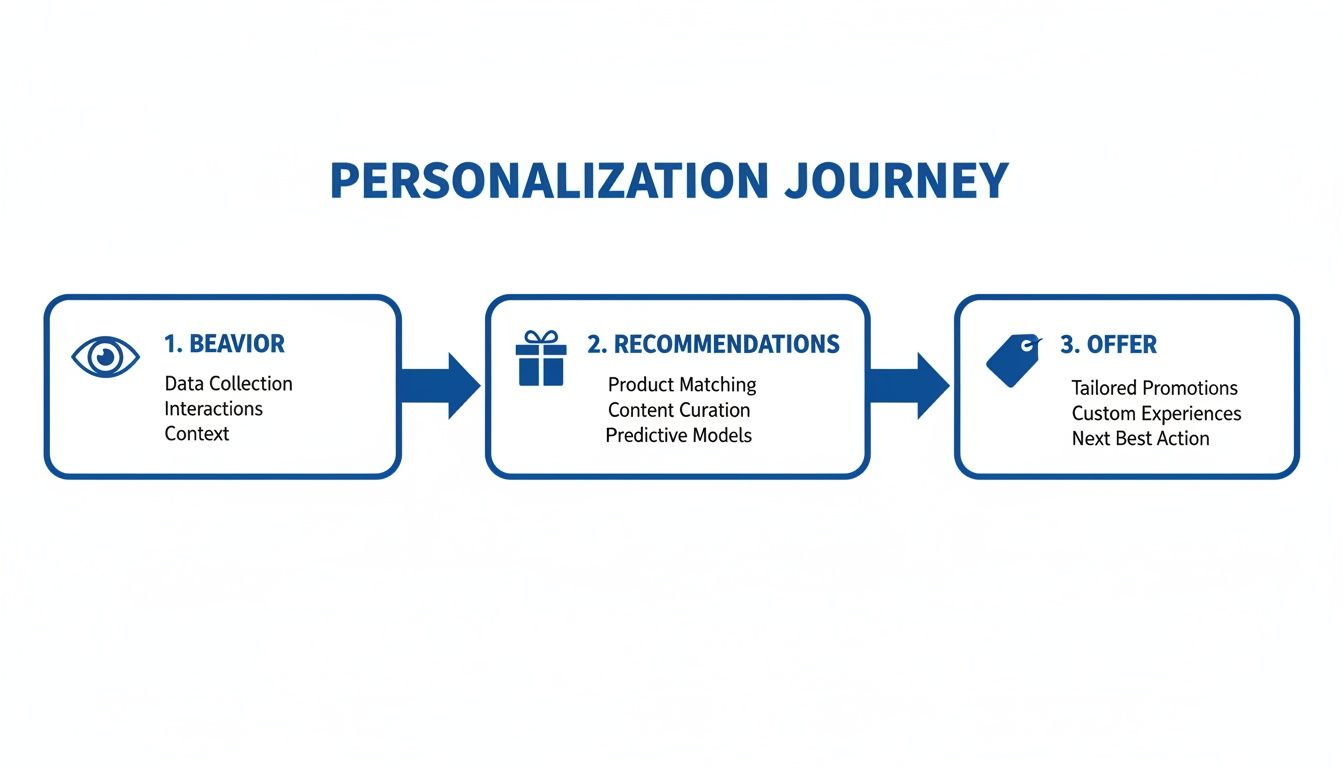
The journey shows that by tracking user actions, you can build a smarter, more responsive shopping experience.
Documenting and Learning from Every Test
Finally, one of the most overlooked but critical parts of a testing system is documentation. Every single experiment—whether it wins, loses, or is a complete wash—is a learning opportunity. You have to create a central library where you record every detail.
Your experiment log should include, at a minimum:
- The Hypothesis: What did you believe would happen and why?
- The Variants: A clear description or screenshot of the changes.
- The Results: Hard data on all the KPIs you tracked, including statistical significance.
- The Conclusion: What was the final outcome and what did you learn from it?
This internal knowledge base becomes an invaluable asset over time. It stops your team from re-testing the same failed ideas six months down the line and gives you a wealth of insights that fuel smarter hypotheses for future experiments. You can learn more about turning your data into clear guidance by exploring our guide on getting actionable insights from your Shopify sales data.
Building this system is what transforms CRO from a series of random tactics into a strategic, reliable growth engine for your business.
Shopify Conversion Rate Optimisation FAQs
When you start digging into Shopify conversion rate optimisation, a few key questions always bubble to the surface. It doesn’t matter if you’re just starting out or fine-tuning a strategy you’ve had for years—getting solid answers to the common sticking points helps you focus your energy where it actually counts.
Let’s tackle some of the most frequent questions I hear from UK Shopify merchants trying to sharpen their store’s performance.
What Is a Good Conversion Rate for a Shopify Store in the UK?
Everyone wants that one “magic number,” but the truth is, it doesn’t exist. A good conversion rate is wildly dependent on your industry. The global average for Shopify stores sits around 1.4%, but that figure is just a baseline—and not a particularly helpful one.
Here in the UK, a fashion brand might average 2%, while a high-end furniture store could see something closer to 0.3%. That’s normal. The higher the price point, the longer people need to think before buying.
A much better way to think about it is to benchmark against your specific sector and, more importantly, against your own past performance.
The only definition of a ‘good’ conversion rate that matters is one that’s consistently getting better, month after month. The top-performing UK stores often hit 3.2% or higher, which puts them in the top 20% of all stores globally. Use that as your north star, a realistic goal to aim for with steady, focused effort.
How Long Does It Take to See Results From CRO?
The timeline for seeing a payoff from your CRO work depends entirely on what you change. Some fixes are quick wins that can move the needle almost overnight.
- Simple, High-Impact Fixes: Tweaking things like mobile site speed, trimming fields from your checkout form, or making your call-to-action buttons pop can show a real impact within days. You’re removing obvious friction, so the results come quickly.
- Complex, Test-Driven Changes: Bigger swings, like a full product page redesign or testing a new offer strategy, require patience. You have to A/B test these ideas to get enough clean data, and that can easily take several weeks, sometimes even a month, to reach a statistically significant result.
At the end of the day, Shopify CRO is a long game. The real magic happens from the compound effect of many small, data-backed improvements stacking up over time.
What Are the Most Common CRO Mistakes Shopify Merchants Make?
It’s easy to get excited and accidentally shoot yourself in the foot. I see it all the time. The single biggest mistake is making changes based on a gut feeling or because you saw a competitor do it. Every single change you make should start with a hypothesis rooted in your own store’s data.
Another huge one is neglecting the mobile experience. Your mobile traffic probably dwarfs your desktop traffic, so a clunky, slow, or confusing mobile journey is like putting a “closed” sign on your digital front door.
Other classic blunders include:
- Hiding shipping costs until the very last second. This is the number one reason people abandon their carts. Be upfront.
- Having a slow site. Every extra second it takes to load is actively costing you sales.
- Not having enough social proof. People want to see genuine reviews and ratings on your product pages. It builds trust.
- Failing to A/B test changes. If you don’t test, you’re just guessing. You’ll never know if an update helped, hurt, or did nothing at all.
What Are the Best Tools for Shopify Conversion Rate Optimisation?
Building a solid CRO toolkit means covering a few key bases: analytics, user behaviour, testing, and automation. For the foundation, Google Analytics 4 is non-negotiable. It tells you what is happening with your traffic.
To understand why it’s happening, you need behaviour analytics tools like Hotjar or Microsoft Clarity. They give you the heatmaps and session recordings that show you exactly where users are getting stuck. When you’re ready to run controlled experiments, A/B testing platforms like VWO or Optimizely are the industry standard.
Finally, to pull all this data together and stop spending your days drowning in dashboards, you need an AI data analyst. It connects to all your tools, monitors performance, and gives you plain-English answers and alerts when your conversion rate drops. It turns that mountain of complex data into confident, quick decisions.
Ready to get trustworthy answers from your e-commerce data without spending hours in dashboards? With Menza, you can ask anything about your store’s performance in plain English and get clear, decision-ready insights in seconds. Connect your Shopify, Google Analytics, and ad platforms to see what’s really driving growth.
Discover how Menza can automate your analytics at menza.ai
Stop guessing. Start knowing.
Menza connects to your Shopify, Klaviyo, ad platforms, and 650+ other data sources. Ask questions in plain English and get answers you can trust — no spreadsheets, no code, no waiting.